DatePad 2.2

DatePad 2.2New and improved! DatePad combines the power of a calendar with the ease of a text editor. DatePad can be used in a large number of ways. It’s main function is to store text which is specific to a certain date. The new version of DatePad has a big number of improvements including a date and time calculator.

DatePad is freeware, this means you can download the zipfile with the installer package of the brand new DatePad 2.2 for free. Don’t forget to read more about this version in the documentation.

DatePad, to keep a record of … the fish you catch and release, the birds you spotted, the shape of the clouds, the change of the weather, the temperature of the water, your bad fortune, the amount of pollen in the air, the medication you take, the food you eat, the amount of alcohol you drink, the family meetings, the dreams you have, the time you spend working, the mistakes you make, what you are working on in a day, the events you visited with your friends, the concerts you visit, the wines you taste, the progress of your hobby, the people you meet, the stories you hear, the news events that effect your life, your luck, the happenings in your family, your relationship with others, the progress of your rehabilitation, the songs you can play on the guitar, the poetry you think of, the ufo’s you see, the things you pray for, the knowledge your gain, the wierd thoughts you have, the money you spend, the money you earn, your sports achivements, the medals you win, the medals you don’t win, the idols you have, the things you find on the beach, the valuables you detect with your metal detector, the times you are using the phone, the websites you find interesting, the notes you just want to write down quickly, the books you read, the things you miss in your life, the happy moments you like to remember, the color that is added to your life, the mistakes your government makes, your secret thoughts and desires, your view of life, what happens in your favorite soap, the amount of gasoline you use and much much more.

DatePad, to keep a record of … everything.

DatePad in the spotlight

Spotlight!One month after its release the new version of DatePad is getting some online attention. DatePad is now available on Simtel, FreewareFiles.com, Freeware-Guide, Playfuls, FreewareHome, Freewareplanet, SofoTex, Freeware World, The Jesus Army, RedTram and even the Spanish Descargarlo and Bajarlo, the Arabic Moshax, the South African Charged and the Asian Onlinedown and 169s.

DatePad is freeware. This means you can download zipfile with the installer package of DatePad 2.1 for free. You can read more about DatePad in the documentation or view the news.

Completely free

An extensive DatePad review was posted the CFS website. DatePad was rated with 5 doves which seems to be a similar rating to all the other software on the website. The last line in the review really made my day :).

Completely free!DatePad is a date-based text storage program for date-specific text (diaries, to-do lists, project management, recording thoughts, etc).
…
DatePad is an excellent tool for anyone who requires date-based text storage.

We loved!

DatePad is freeware. This means you can download zipfile with the installer package of DatePad 2.1 for free. You can read more about DatePad in the documentation or read the news.

DatePad 2.1

DatePad 2.1New and improved! DatePad combines the power of a calendar with the ease of a text editor. DatePad can be used in a large number of ways. It’s main function is to store text which is specific to a certain date. The new version of DatePad has a big number of improvements and supports multiple users.

DatePad is freeware. This means you can download zipfile with the installer package of the brand new DatePad 2.1 for free. Don’t forget to read more about this version in the documentation.

Pokino

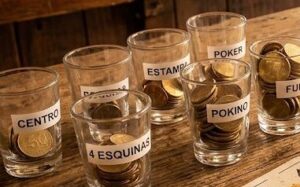
Pokino!Inmiddels ben ik niet alléén meer verslaafd aan het spelletje. Ook mijn moeder is er erg blij mee en af en toe lukt het me zelfs mijn vrienden over te halen om het te spelen… Het gaat uiteraard over pokino. Ik heb de spelregels beschreven en de speelkaarten ingescand en online gezet. Kan je het zelf ook proberen.

Mocht er voldoende animo zijn, dat wil ik wel overwegen een workshop pokino spelen te geven. Dan kunnen geïntereseerde hun pokino kennis bijschaven onder begeleiding van een professional. 😉

Batch Utilities

The available batch programs are DOS based, and most of them will not work under any Windows-version. All available ZIP-files contain the executable and the C-source. A small description of the programs is available below.
The programs are intended to be used in batch files. Some are intended to be used in autoexec.bat.

Free – This program informs the user about the disk space available on a certain disk drive. Since this program is intended for older machines it will not recognize disks bigger than 2 Gigabytes.
Reboot – This program can be used to reboot your computer using a batch program, for example after changing the autoexec.bat file with a batch program.
Remline – This program removes a line from the screen, enabling a batch programmer to make good looking batch programs.
Sleep – This program suspends program execution for a number of (milli)seconds.
Timer – This program checks how long a certain program runs.
Today – This program prints the current day and/or time in a readable fashion.
Run – This program enables the user to run a number of programs in a batch form without needing a batch file.

Requirements
These batch programs require DOS to be the main operating system. A DOS shell within Windows or any other operating system might not work, or might give unpredictable results.

Installation
Simply download and unzip the file. All zip files include the executable program and the C source file.

Download all batch applications (zip file)

Worms – The Ultimate Revenge

This is a cool little game in which you play a hungry little worm. It is the players job to feed the little worm with all kinds of goodies.

Here are a few screenshots to give you an impression of the game. This game is DOS based.

Worms!

Worms!

Each level (there are about 8 or so) has a different layout.
There are two players. One green and one red. In the top of the screen are the two players. Before the playername is the number of lives. Behind the playername is the current score. You can move the worm with the cursor keys. If the second player is the computer it will move automatically. If the second player is a human, then the keys to move the player are displayed before you start to play.

Installation
Simply download unzip the file. Then run ‘worms.exe’.

Download Worms (zip file)
Download Worms including sources (zip file, not needed if you only want to play the game)

I made this game using C++.

StarCraft maps

Here you’ll find five well balanced StarCraft maps. Starcraft is a very cool game from Blizzard.

Slayers place
2 player map (slayers place)
Works with all versions of StarCraft.

This map is designed for two players or possibly four players playing in two teams. There is little room for mistakes here because you are near your enemy and there is not a lot of room for your buildings. Both players have access to two mining sites.
For the best result you should play against a human opponent.

Slayers place
3 player map (Three is a crowd)
Works with all versions of StarCraft.

This map is designed for three players. This is a map with a lot of space and cash. All players have access to two mining sites.
For the best result and the coolest game play you should play against human opponents.

Slayers place
4 player map (low on resources)
Works with all versions of StarCraft.

This four player map gives you very little resources. Every player is on a hill so the development of (expensive) air forces is required. This map should be played by either two or four human players.

Slayers place
4 player map
Works with all versions of StarCraft.

This map should be played by either two or four human players. You can also use this map to play against PC components.

Slayers place4 player Broodwar map (BattleDraft)
Works only if you have StarCraft Broodwar

This scenario includes a cool mission description and a real challenge if you use map settings. Great map for multi player games.

Pensioen

Vandaag heb ik het dan eindelijk gedaan. Mijn ouwe trouwe 10 jaar ouwe pc-tje is met pensioen. Na jaren van trouwe dienst trok de voeding het steeds minder en klapte de internet verbinding er steeds vaker uit. Op zich niet erg, maar lastig als het systeem ook als webserver gebruikt wordt.

Mijn nieuwe webserver is mijn laptopje, 4 keer zo snel, dubbel zoveel geheugen en 5 keer zoveel diskruimte, maar nog niet door de praktijk getest. Waar mijn ouwe pc comment spammers, Perzische hackers, viri en andere narigheid heeft overleeft moet dat nu allemaal nog maar blijken.