Reviews of DatePad are often just a set of texts taken from my website, or a suggestion a made myself. At 3D2F.com they made a real review.
DatePad: Calendar, Explorer and Notepad – Combined
What are we going to get when we combine a calendar with a notepad? – Let’s dream it up. With a tool of this kind, we could take notes about something taking place on a certain date, something we saw, heard or thought about on a that date – everything – and keep that for ourselves or share it with others, just like with an online blog. Someone’s wedding or birthday party, family meetings, taking an outdoor trip or spending a vacation at a sea – all that can be memorized in details, without leaving any thing out.
Continue reading →
 DatePad combines the power of a calendar with the ease of a text editor. DatePad is a simple and easy multi-purpose application which can be used in a surprisingly large number of ways.
DatePad 2.4 is now available in the German language! Download the zipfile with the german language pack and extract the files to the directory where DatePad is installed. After extracting the language pack files start DatePad and you will be able to select Deutsch in the File menu, under the Language option.
Many thanks to Thomas Kläger who provided this language pack. DatePad is now available in English (default), Dutch, Spanish, Italian, French and German.
A new and improved version of DatePad is available now! DatePad combines the power of a calendar with the ease of a text editor. DatePad is a simple and easy multi-purpose application which can be used in a surprisingly large number of ways.
The main function of DatePad is to store text which is specific to a certain date or time. In addition to editing text related to years, months, days and/or times it is possible to calculate with dates and times and create notifications of upcoming future events.
DatePad 2.4 is available in English, French, Spanish, Italian and Dutch. New to this version is the addition of formatting functions. You can now add style, colors and even small pictures to your entries.
DatePad is freeware, this means you can download the installer package of the brand new DatePad 2.4 for free. Don’t forget to read more about this version in the documentation.
Please support DatePad by making a donation. This will ensure that DatePad keeps getting the attention it deserves with updated, bugfixes and new features.
|
|
Donate 15 euros* |
|
|
Donate any other amount* |
* Donations are made out to adrieberg@gmail.com which is me, Adrie Berg, the author of DatePad. After you have made a donation I will add you to the list of people supporting DatePad.
DatePad, to keep a record of … everything.
 Ik heb er toch aan moeten geloven, want iedere dag moest ik weer een hele rits links verwijderen uit de header en footer van mijn weblog. Nu heb ik dan de nieuwe versie van WordPress geïnstalleerd, en is het hopen dat mijn ranzige-link-problemen tot het verleden horen.
Foeter, foeter!. Het wordt ook steeds gekker. Mijn site was voor de tweede keer gehacked. De eerste keer was in 2004. Toen was de hele startpagina veranderd door een of andere drol. Nu was de hack subtieler. De header en footer van mijn pagina stonden vol met links naar allerlei geslachts vergrotende medicijnen. Echter de links waren allemaal onzichtbaar. Waarschijnlijk was de aanpassing dus alleen bedoeld voor zoekmachines. Ik merkte het toevallig en toen bleek al snel dat ik een extra wordpress gebruiker had en dat er dus een aantal files waren aangepast.
Inmiddels zijn de links verwijderd, maar voor hoe lang is nog even de vraag. Toch maar eens updaten naar de nieuwere versie van WordPress, want dat blijkt nu een te lang uitgesteld gebeuren.
 ezDatepad is the next evolution for datepad. ezDatepad is a text editor combined with a calendar, simple yet powerful. The data you store, whether related to the present, past, or future, aids in memory, planning, and evaluating your thoughts and actions. Use ezDatepad as a planning tool, diary, journal, or a way to assess your past. It’s perfect for creating shopping lists, jotting down phone numbers, names, or ideas quickly.
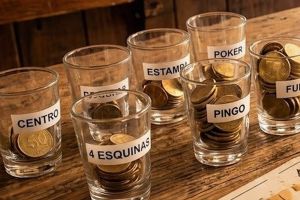 PokerBingo is a traditional Spanish game that blends the mechanics of Poker and Bingo. Players place small bets into various containers at the start of each round and race to claim them by completing specific card combinations on their boards.
What You Need
- Between 2 and 10 players
- 1 Spanish card deck (40 cards) or a normal card deck
- 1 game sheet per player
- 6 small cups, glasses, or containers to hold the bets
- Tokens (dry beans, coins, or something) to mark called cards
Setup
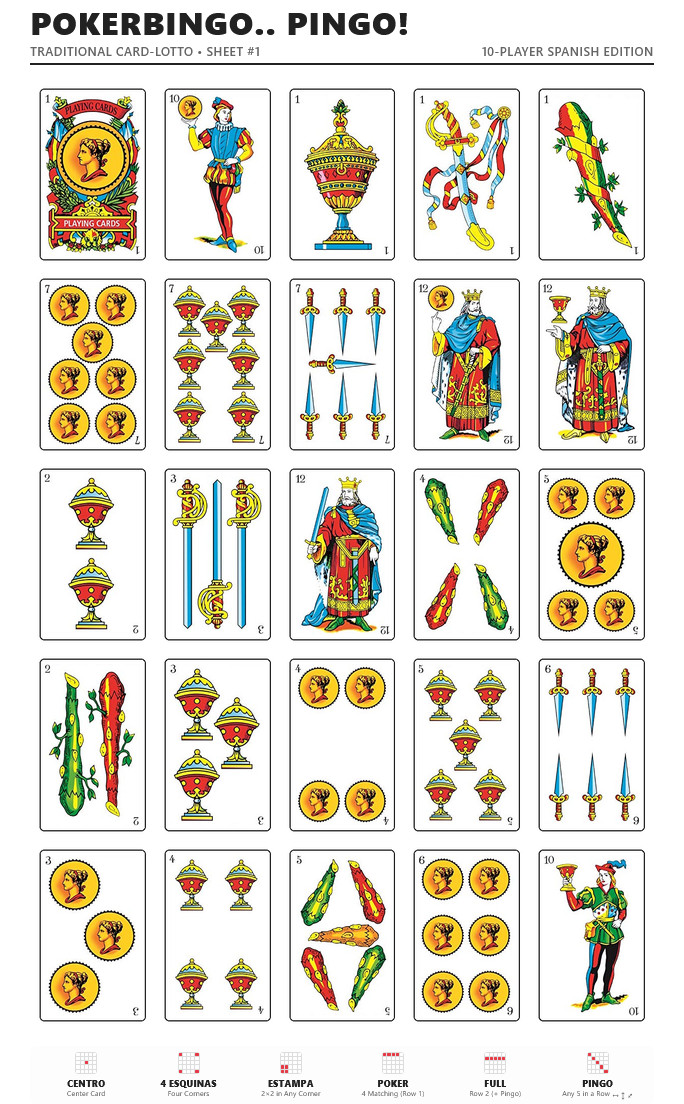
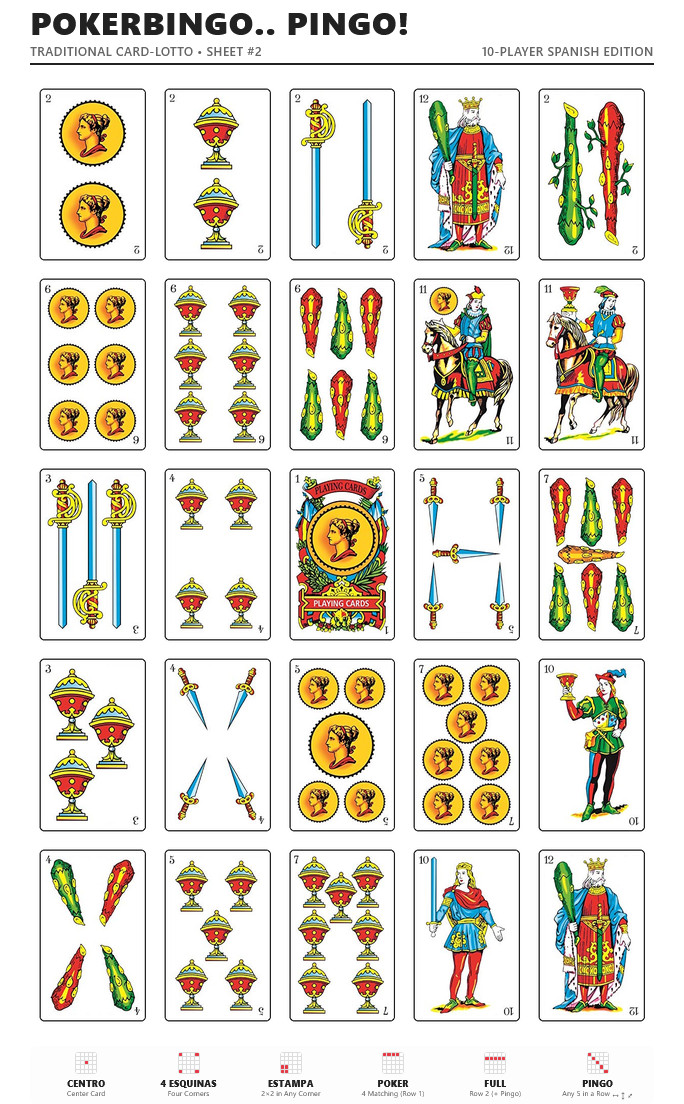
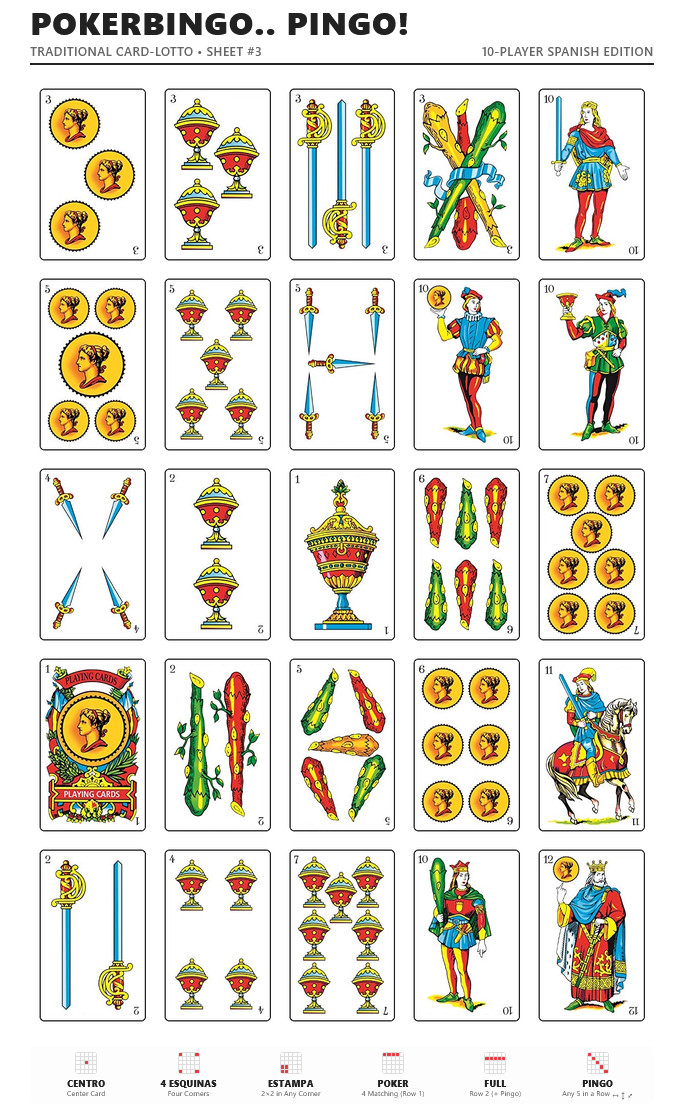
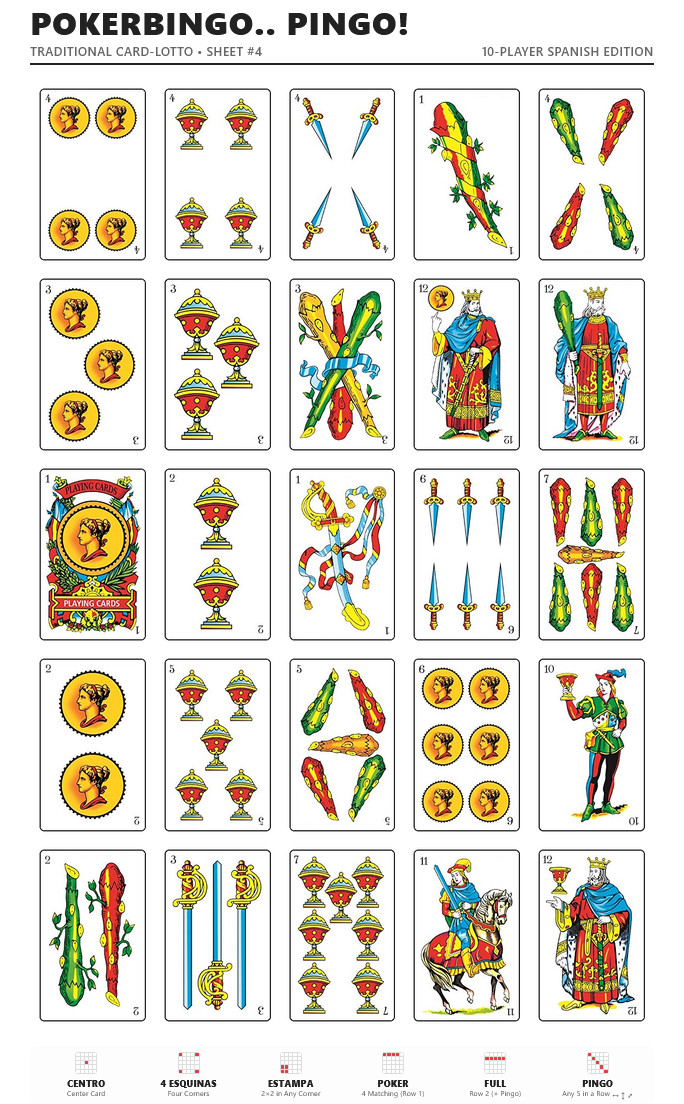
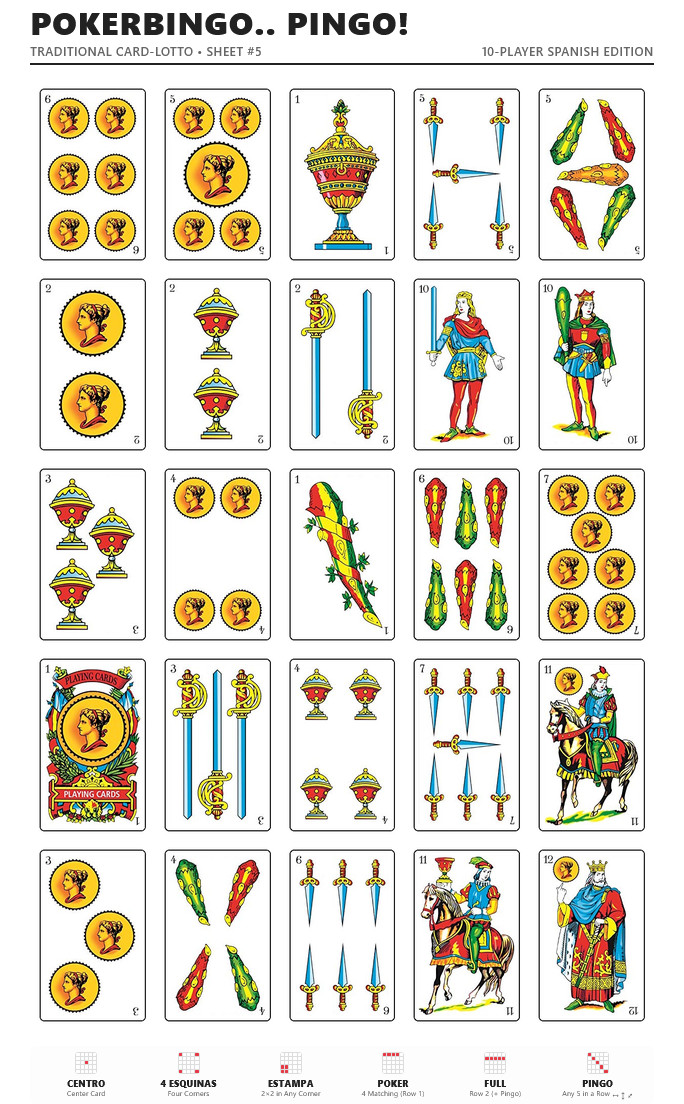
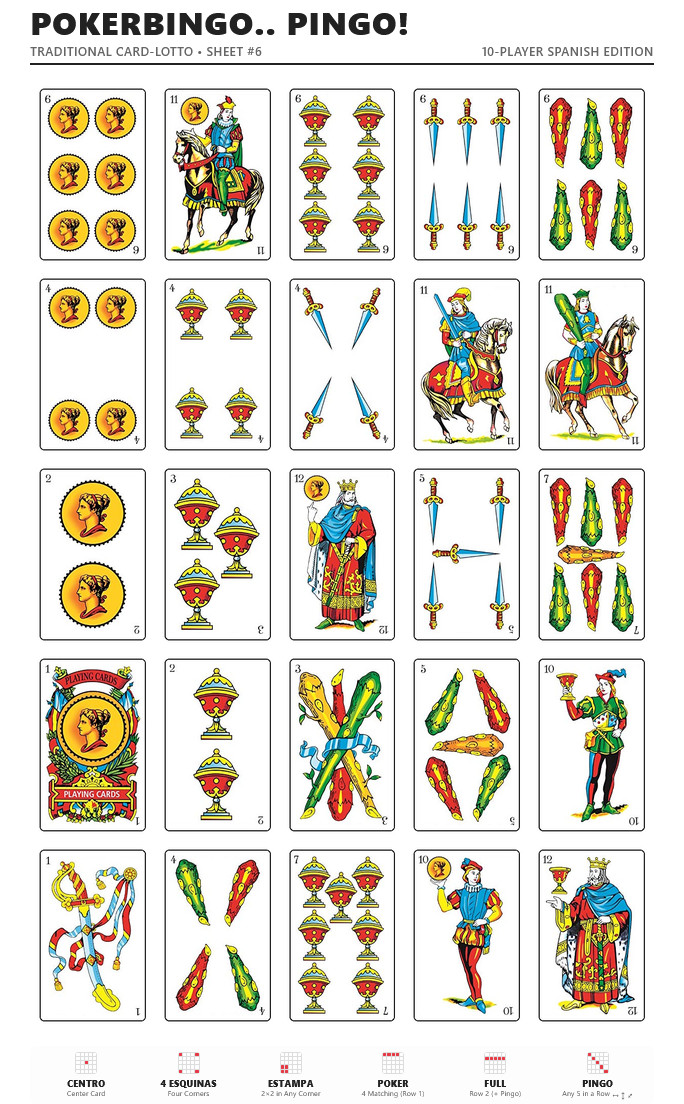
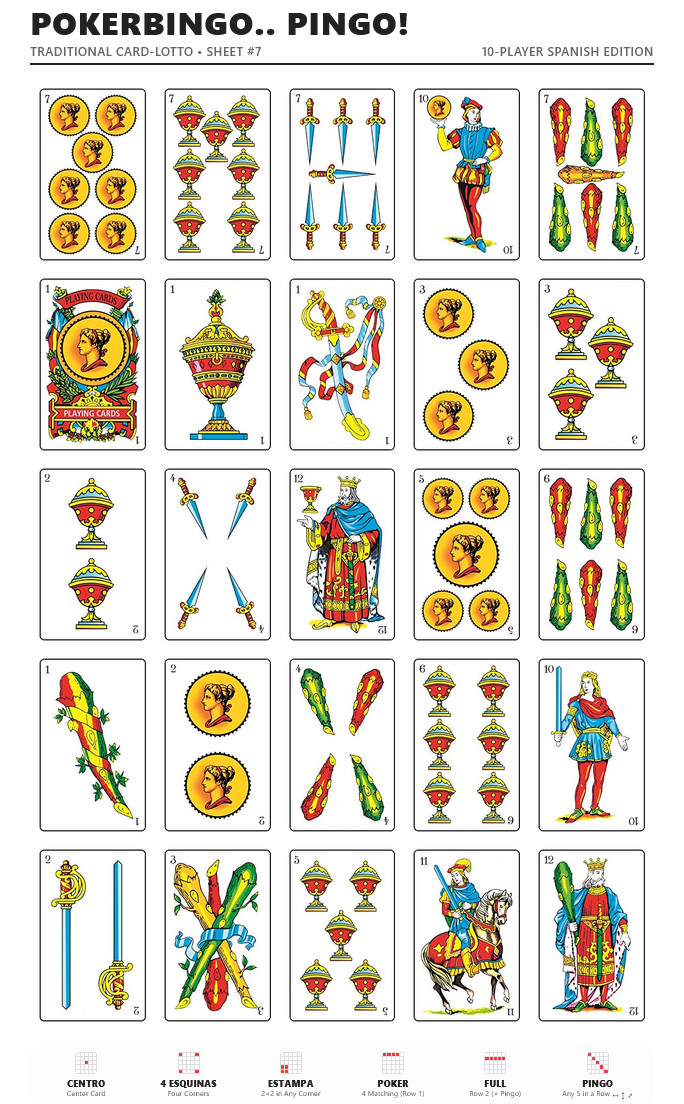
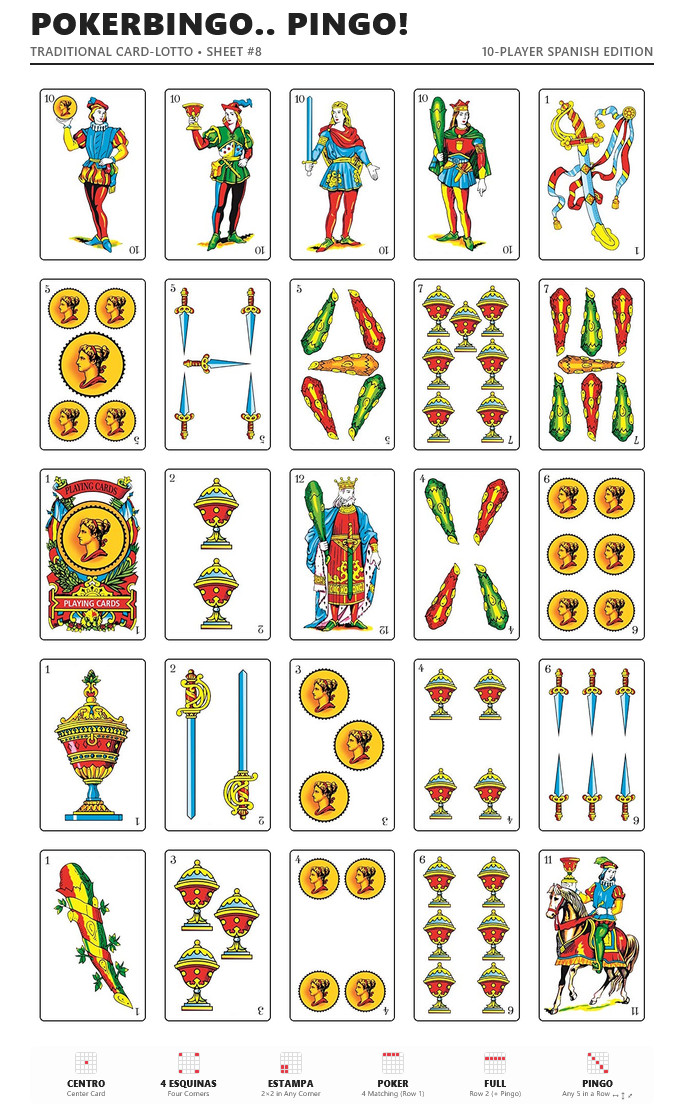
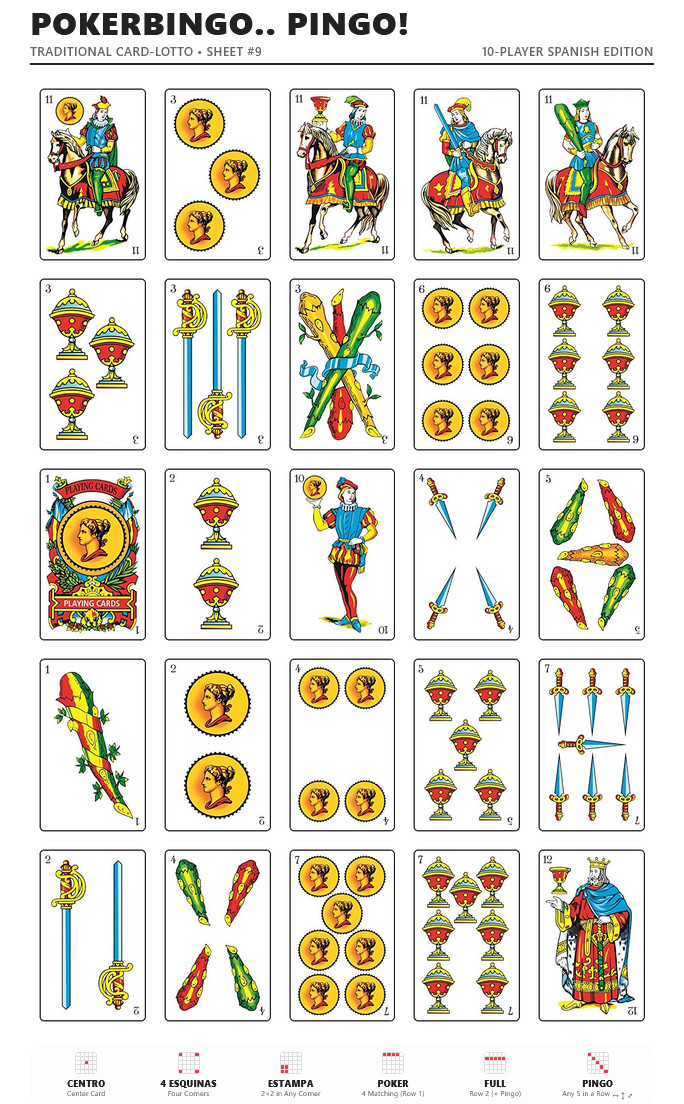
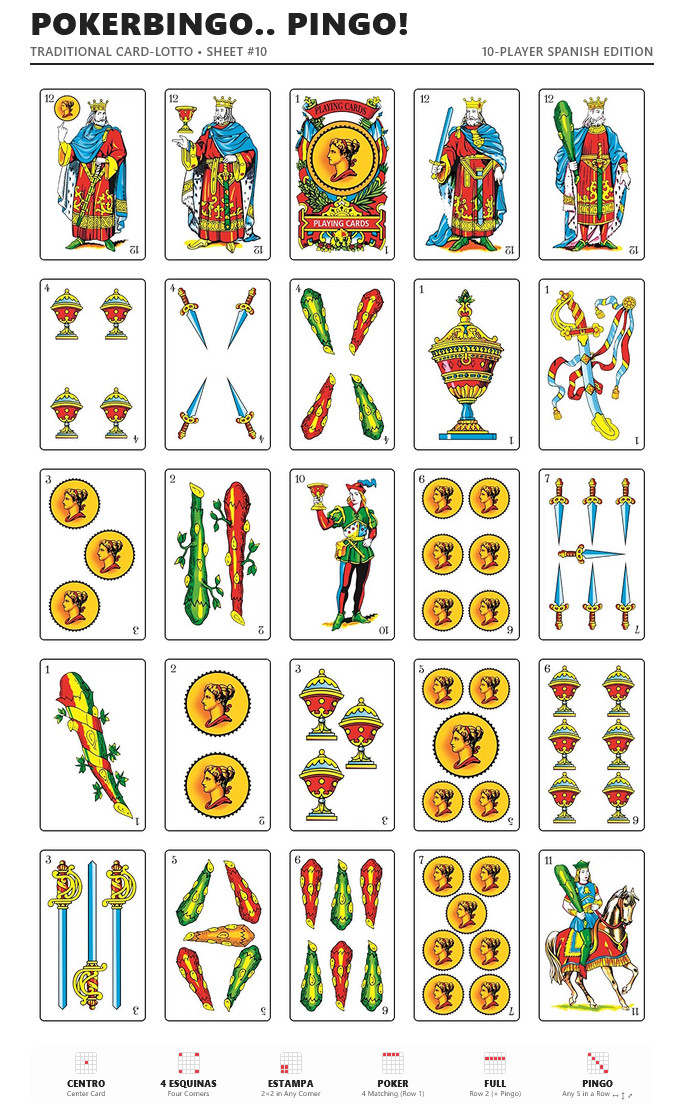
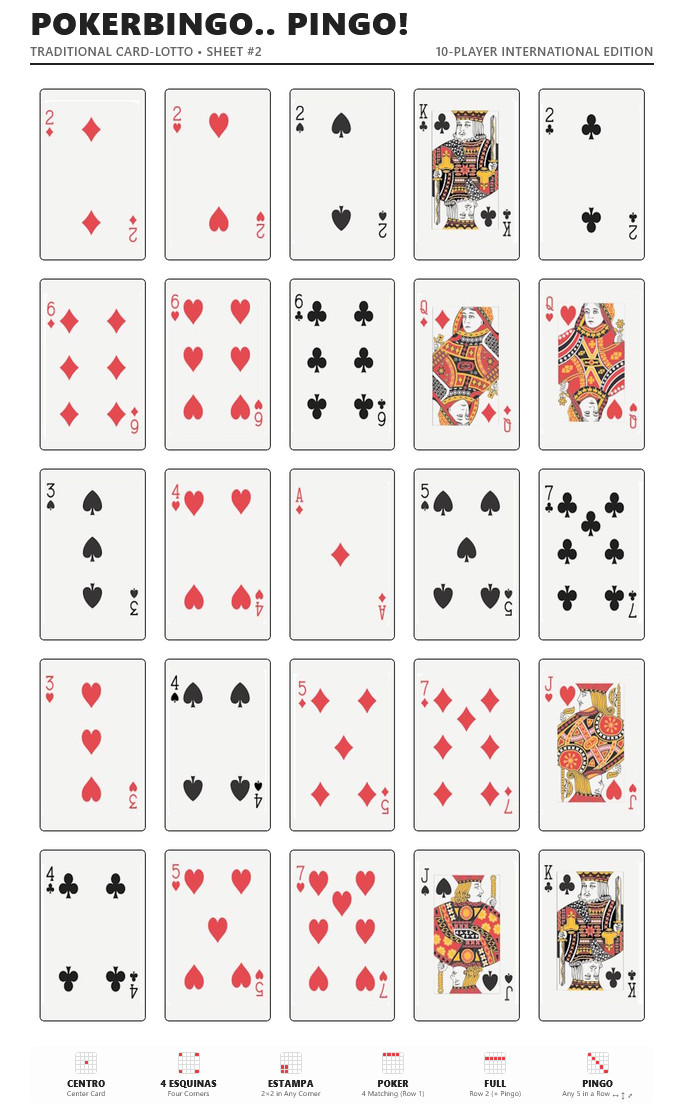
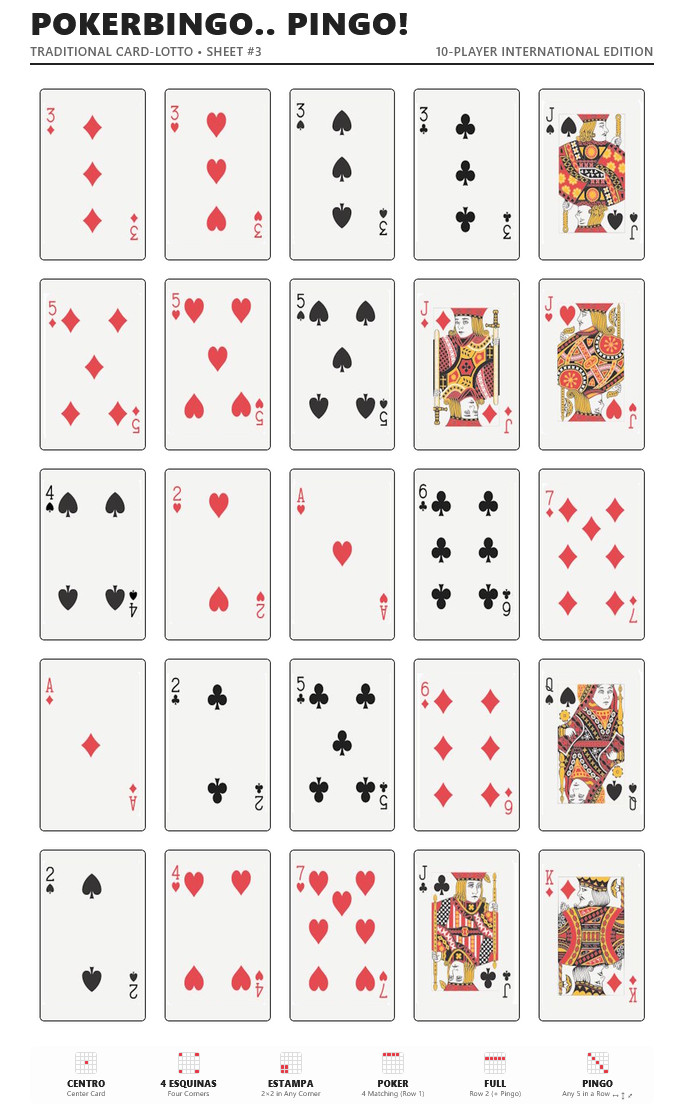
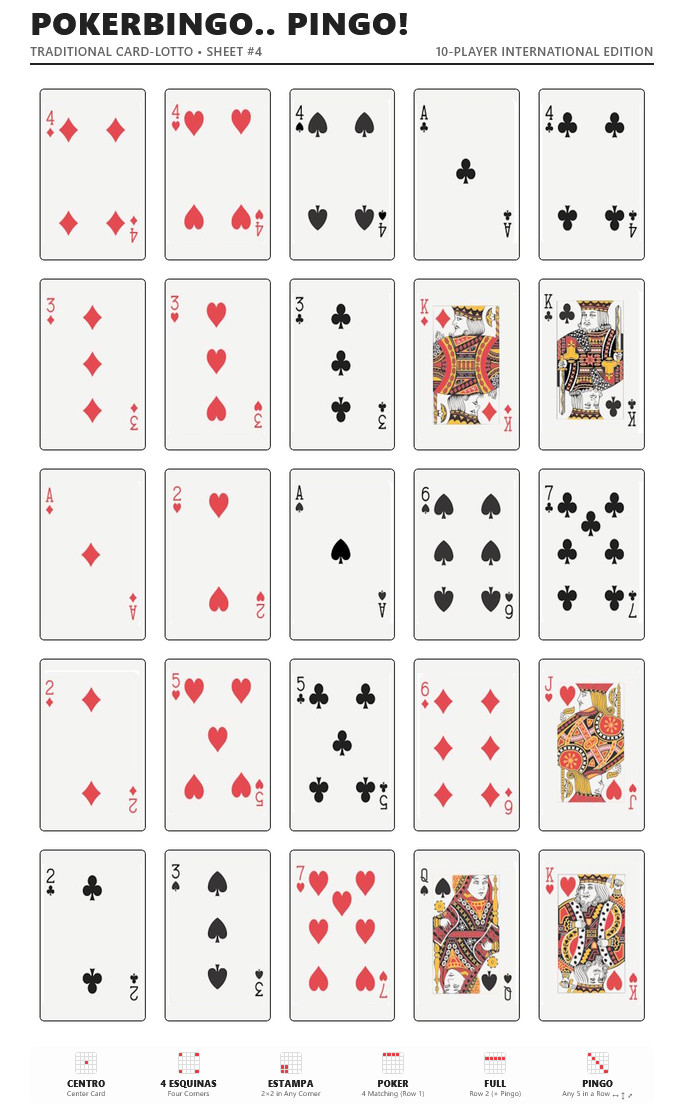
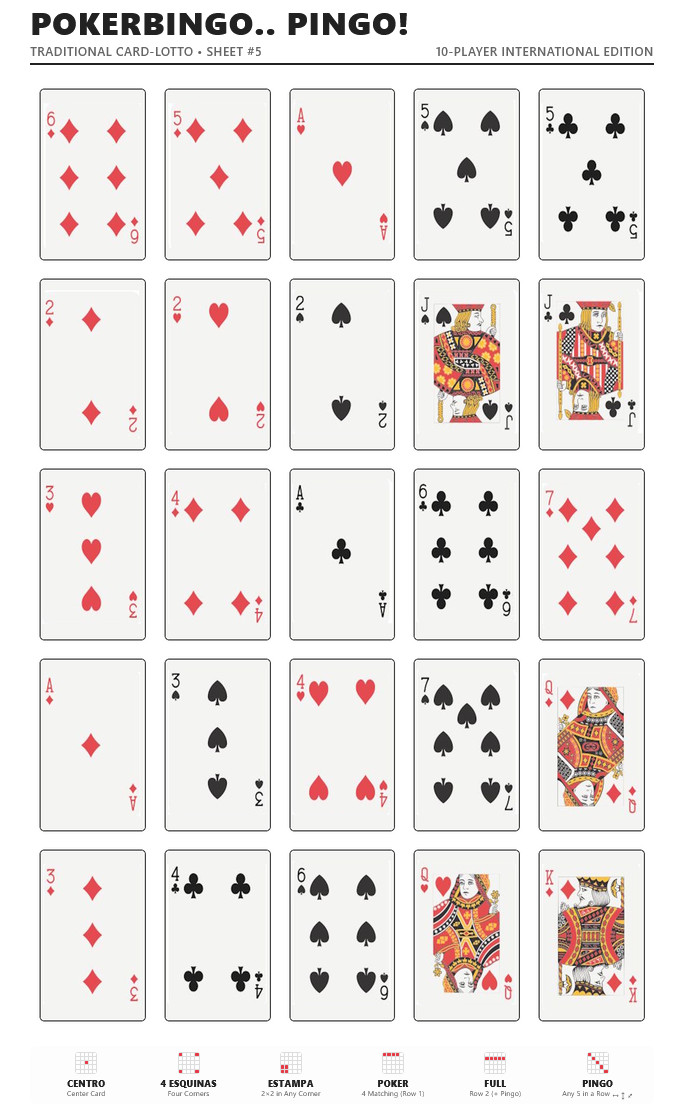
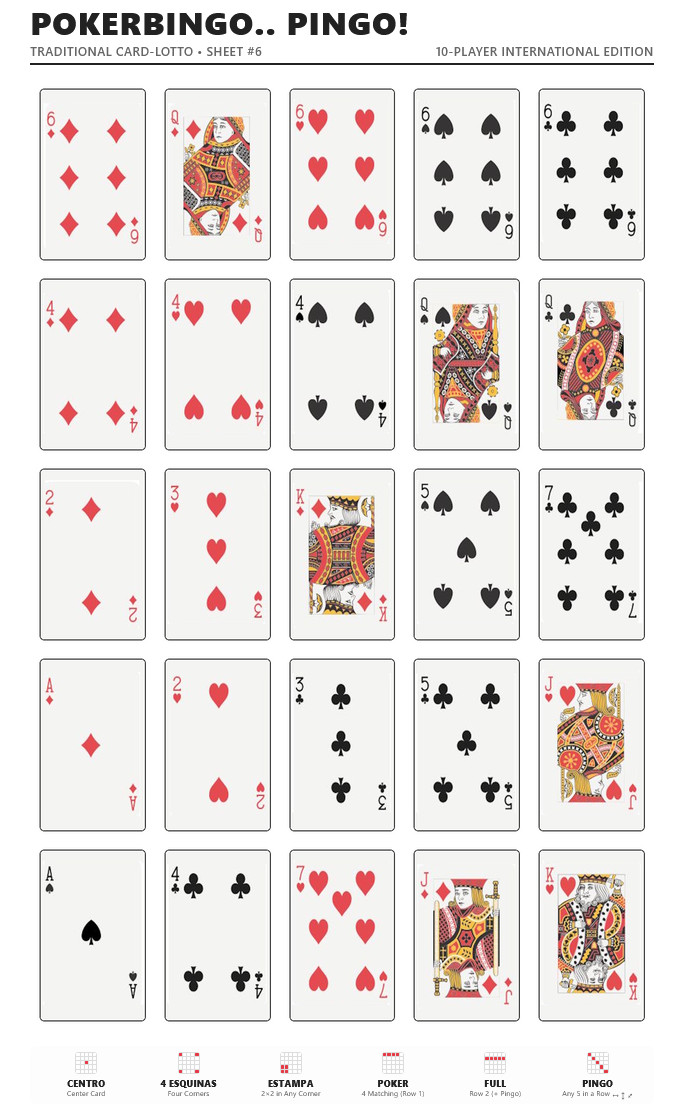
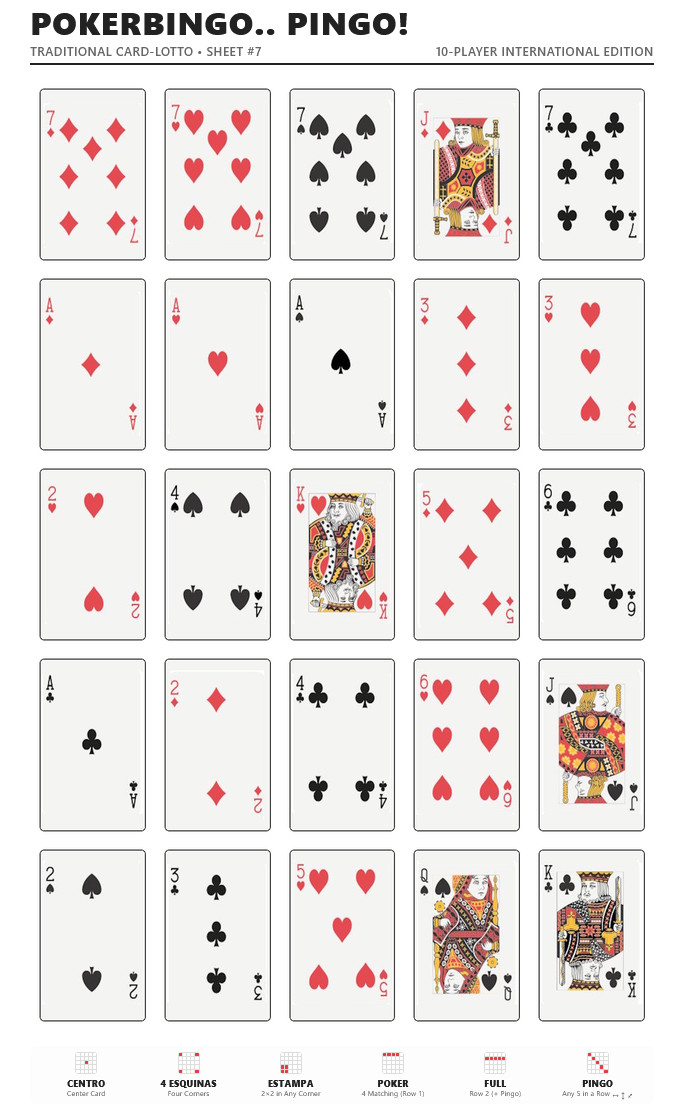
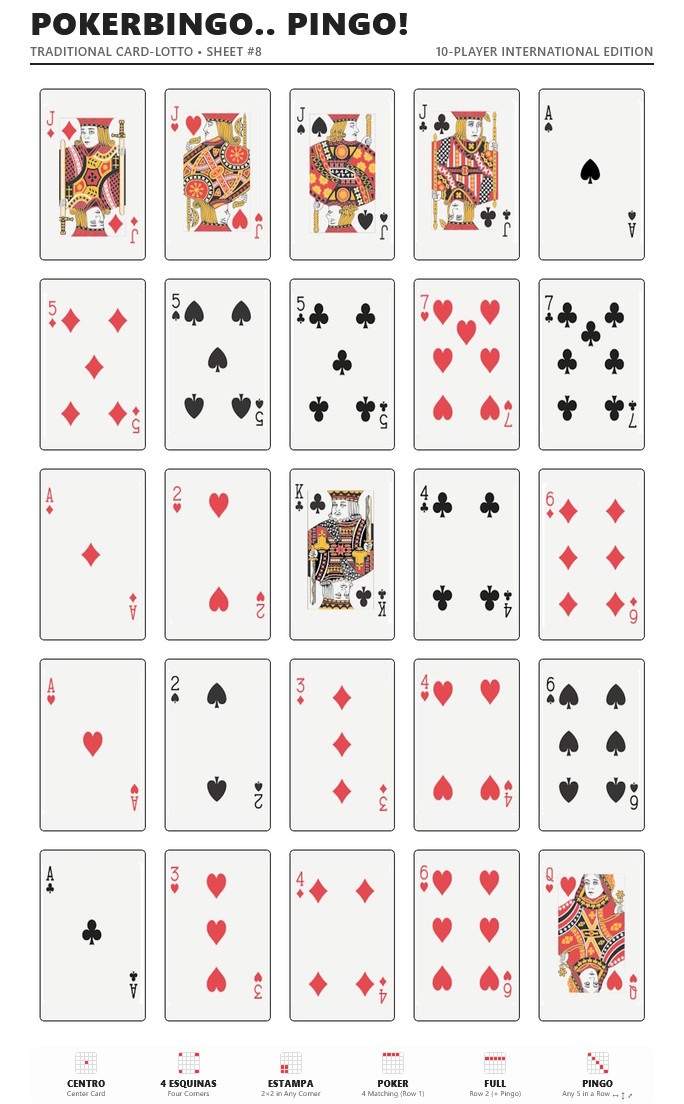
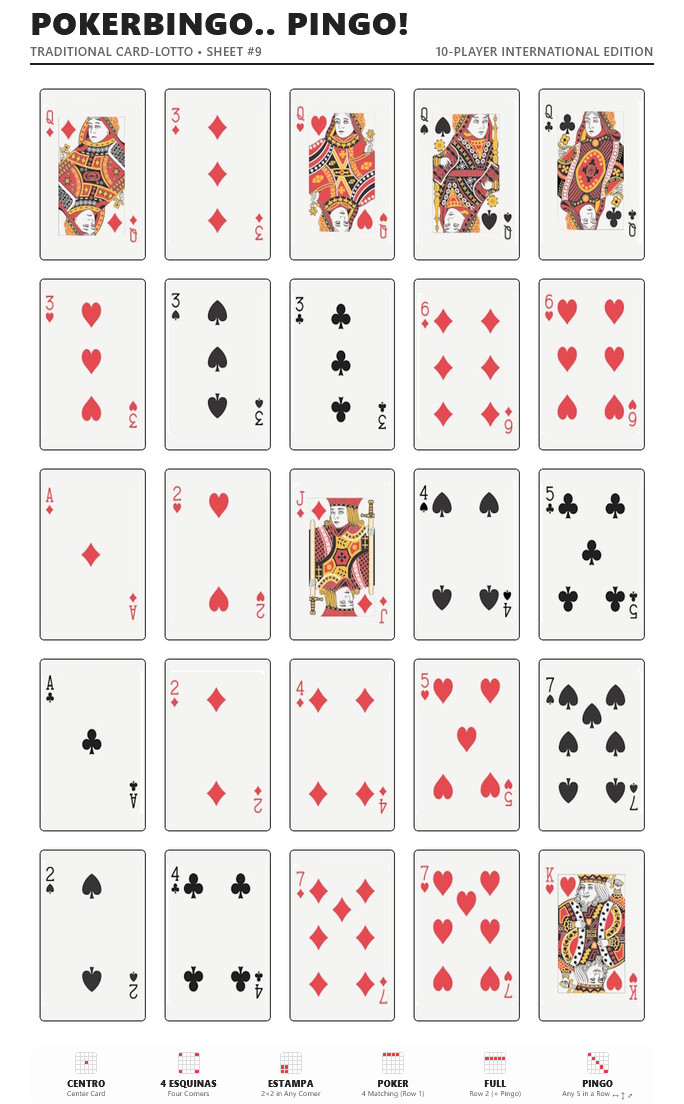
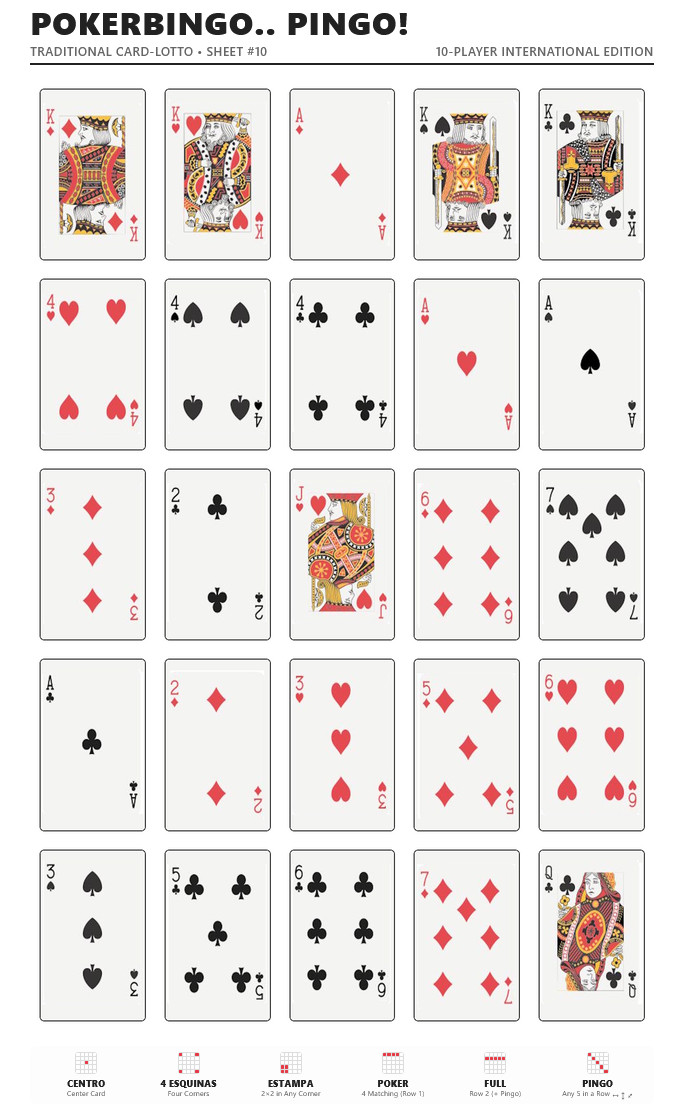
- Get the boards: Download and print the 10 game sheets provided below. Each sheet features a unique 5×5 grid showing 25 cards from the Spanish deck. Print the game sheets om A4 or A5 paper.
- Mark the 6 containers: Label them with the winning combinations: “PINGO”, “CENTRO”, “4 ESQUINAS”, “POKER”, “ESTAMPA”, and “FULL”.
- Place your bets: Every player places an agreed amount (for example, 5 cents) into each of the 6 containers before the round begins. At 5 cents per pot, each player bets 30 cents (6 coins) per round.
How to Play
- Shuffle the Spanish deck thoroughly and place it face down in the center of the table.
- One player acts as the caller, drawing cards one by one, showing them, and calling them out.
- Players check their sheets. If the card appears on their board, they cover it with a token.
Winning Combinations
Whenever you complete a winning combination, call it out immediately to claim the coins in that specific container!
| Icon |
Name |
How to Win |
 |
PINGO |
Complete any horizontal, vertical, or diagonal line of 5 cards across your sheet. Calling Pingo wins the game and ends the round. |
 |
POKER |
Cover the four matching cards on the first row of your board. |
 |
FULL |
Cover the entire second row (5 cards). Because this is also a straight line, winning FULL automatically wins the PINGO pot as well and ends the round! |
 |
CENTRO |
Cover the single card in the exact center of your 5×5 grid (Row 3, Column 3). |
 |
4 ESQUINAS
(corners) |
Cover all four outer corners of your board (top-left, top-right, bottom-left, bottom-right). |
 |
ESTAMPA
(stamp) |
Cover a 2×2 square of 4 adjacent cards in any corner of your sheet. |
Pot Rules & Ties
- Ties: If two or more players complete the same combination on the exact same card, the coins in that container are split equally. Any odd coins that cannot be divided evenly stay in the container for the next round.
- Jackpots: Any coins left in unclaimed containers carry over to the next round. Difficult combinations like FULL or POKER often accumulate larger jackpots over several games!
- Missed it: If you forget to call out your win right away, you can still claim it as soon as you notice, provided the pot is still on the table. However, if another player completes the combination while more cards are drawn, you will have to split the pot with them. And if another player has already claimed the pot and taken the coins before you speak up, you’re out of luck and you win nothing!
Ending the Game
- End of a regular round: The round ends as soon as someone calls PINGO (or FULL). Any remaining pots stay as they are, everyone places new bets into all 6 containers, and a new round begins.
- Stop playing: To finish playing and clear the table, play one final “clean-up” round. Keep drawing cards even after the first Pingo is called until every single container has been won!
 About the Game Sheets
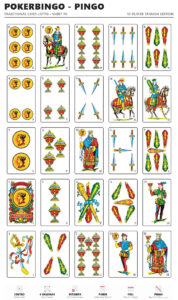
There are 10 distinct game sheets in total, each featuring a unique arrangement of 25 cards with a quick reference guide along the bottom. These printable sheets are an independent recreation.
- All game sheets in a single file:
- Get the game sheets separately:
Or… if you don’t have a Spanish deck…
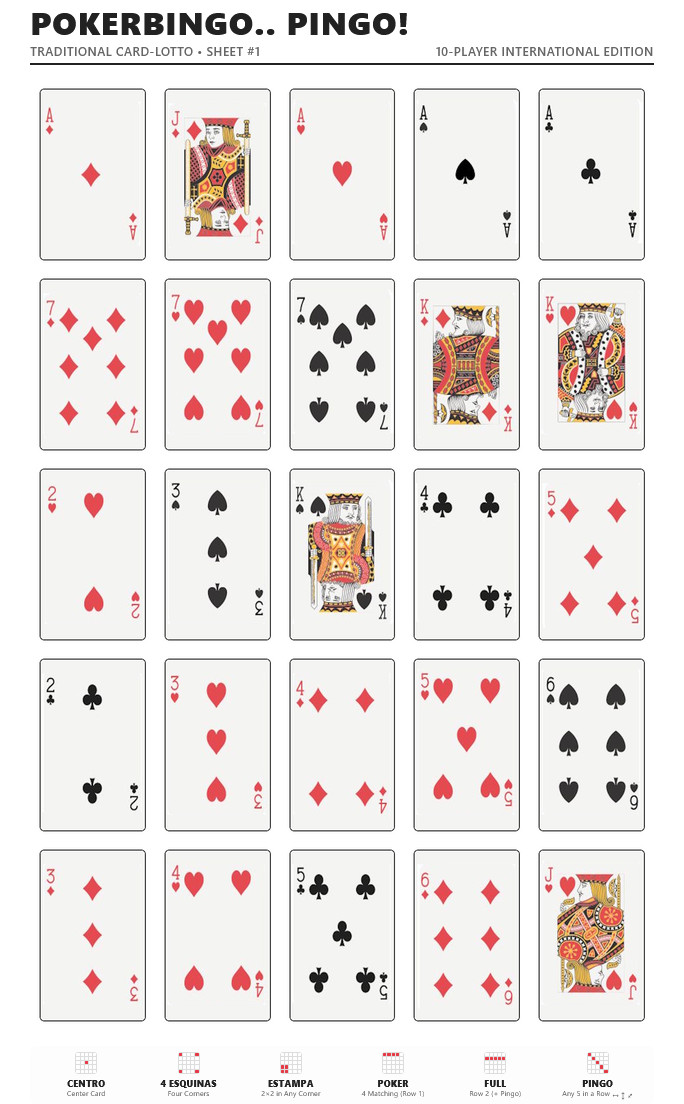
- All game sheets in a single file:
- International card deck (pdf)
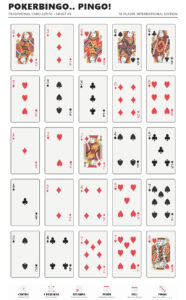 Note: Prefer playing with a standard 52-card deck? While the traditional Spanish game uses a 40-card baraja española (ranks 1–7, Jack, Knight, and King across Coins, Cups, Swords, and Clubs), you can easily adapt it to an international 52-card deck (Spades, Hearts, Diamonds, and Clubs). To match the original board distributions, simply remove the 8s, 9s, and 10s from your standard deck, which leaves a 40-card set: Ace through 7, Jack, Queen, and King.
- Get the game sheets separately:
- International gamesheet 1 (jpg) (html)
- International game sheet 2 (jpg) (html)
- International game sheet 3 (jpg) (html)
- International game sheet 4 (jpg) (html)
- International game sheet 5 (jpg) (html)
- International game sheet 6 (jpg) (html)
- International game sheet 7 (jpg) (html)
- International game sheet 8 (jpg) (html)
- International game sheet 9 (jpg) (html)
- International game sheet 10 (jpg) (html)
Did you know? The Spanish deck contains 40 cards across 4 suits: Coins (Oros), Cups (Copas), Swords (Espadas), and Clubs (Bastos). Each suit has cards 1 – 7, plus Jack/Page (Sota), Knight/Horse (Caballo), and King (Rey).
Fun fact.. Because each sheet features 4 cards of identical value across its top row to form the Poker line, only 10 unique combinations can exist, which is why traditional Pingo is played with exactly 10 sheets and why the maximum number of players is 10.
Disclaimer: Pokino, El pokino, Pokeno, Po-ke-no, Pingo, PokerBingo and similar names may be trademarks of their respective owners. This website is not affiliated with or endorsed by any game publisher or trademark holder.
 DatePad combines the power of a calendar with the ease of a text editor. DatePad is a simple and easy multi-purpose application which can be used in a surprisingly large number of ways.
DatePad 2.3 is now available in the French language! Download the zipfile with the french language pack and extract the files to the directory where DatePad is installed. After extracting the language pack files start DatePad and you will be able to select Français in the File menu, under the Language option.
Many thanks to Michel Thébault who provided this language pack. DatePad is now available in English (default), Dutch, Spanish, Italian and French.
DatePad combines the power of a calendar with the ease of a text editor. DatePad is a simple and easy multi-purpose application which can be used in a surprisingly large number of ways.
DatePad 2.3 is now available in the Italian language! Download the zipfile with the italian language pack and extract the files to the directory where DatePad is installed. After extracting the language pack files start DatePad and you will be able to select Italiano in the File menu, under the Language option.
Many thanks to Luca Morisi who provided this language pack. DatePad is now available in English (default), Dutch, Spanish and Italian.
A new and improved version of DatePad is available now! DatePad combines the power of a calendar with the ease of a text editor. DatePad is a simple and easy multi-purpose application which can be used in a surprisingly large number of ways.
The main function of DatePad is to store text which is specific to a certain date or time. In addition to editing text related to years, months, days and/or times and calculating with dates and times this new version can supply you with notifications of upcoming future events.
DatePad is freeware, this means you can download the installer package of the brand new DatePad 2.3 for free. Don’t forget to read more about this version in the documentation.
DatePad, to keep a record of … everything.